Log meals in plain language
Describe what you ate and review suggested macros before you save. You stay in control of every log.
Available on iOS
Nutrition, training & AI coaching
Log meals and workouts, set nutrition targets, and chat with an optional AI coach that uses your logs to suggest next steps.
月律 — 飲食・訓練・AI 教練 — 有追蹤經期可另享週期加值。已於 App Store 提供。
Questions? Email support@lunafit.app.
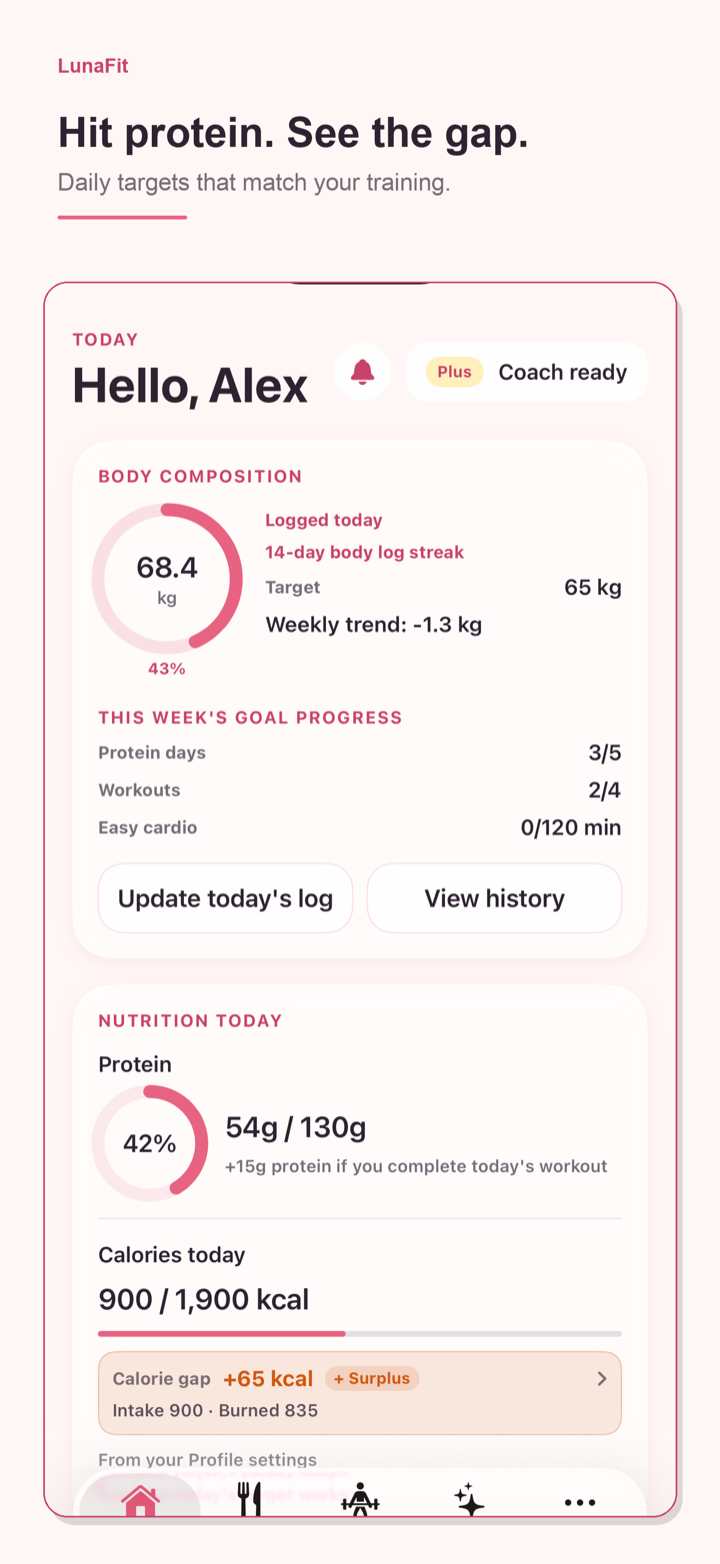
Capability-focused tools for diet and training — with optional AI when you want a nudge.
Describe what you ate and review suggested macros before you save. You stay in control of every log.
See targets that reflect training vs rest days, and keep workout plans alongside your food log.
Chat with a coach that uses your recent logs to suggest next steps. Suggestions can be imperfect — review before you act.
If you track your period, ConstanFit can offer cycle-aware nutrition context. Fully optional and not medical advice.
Three simple loops — log, plan, ask when you need help.
Capture meals and workouts in language you already use.
Check today’s nutrition targets and training focus.
Use the optional AI coach for ideas grounded in your recent logs.
Straight answers about accounts, AI, Health, and privacy.
ConstanFit is available on the iOS App Store. Open the App Store on your iPhone or iPad and search for ConstanFit, or use the download link on this page.
You can start with core logging. Optional Basic, Plus, and Pro AI plans unlock more AI credits. Purchases are billed through Apple; manage or cancel in iOS Settings → Apple ID → Subscriptions.
When you use coach chat or meal parsing, requests go through ConstanFit’s servers to model providers. AI features consume account credits and may be inaccurate — always review suggestions before acting.
Health access is optional. ConstanFit can read active/resting energy on-device for calorie-gap estimates, and may read menstrual flow if you choose to import cycle history. You control permissions in iOS Settings → Health → Data Access & Devices → ConstanFit.
No. Cycle features are optional for people who track their period. Everyone gets diet, workout, and AI coaching tools without enabling cycle tracking.
Signed-in users can export or delete their account from Profile in the app, or contact support@lunafit.app. See our Privacy Policy.
No. ConstanFit is for fitness and nutrition tracking only — not a medical device and not medical advice. Talk to a qualified healthcare professional for medical questions.
ConstanFit is for fitness and nutrition tracking, not a medical device, and does not provide medical advice. Every body is different. If you have a health condition or questions about your cycle, consult a healthcare professional.
Join the email waitlist and we’ll notify you when ConstanFit is available on iOS.